To integrate smart security with home automation, you connect the alarm panel, door locks, cameras and doorbell to one control system, such as Control4, Savant or Lutron, so they share information and run from one app and one set of keypads. The alarm still does its own job of detecting intrusion, fire and carbon monoxide. Integration lets the rest of the house react: arming the alarm locks the doors and turns off the lights, a tripped sensor turns on the exterior lights, and the doorbell camera shows up on your TV.
Below we cover what a well-integrated system does, how to check compatibility, what to know about smart locks, and the features families use most.
What a security system includes
- An alarm panel with keypads, door and window contacts, motion detectors and glass-break sensors.
- Smoke, heat, carbon monoxide and water leak sensors connected to the same panel.
- Cameras and a video doorbell, recording to a network video recorder or the cloud.
- Smart locks on the main entry doors.
Each of these can work on its own with its own app. A home with four security apps, a lighting app and a thermostat app is hard to live with. Integration brings them together.
What integration lets you do
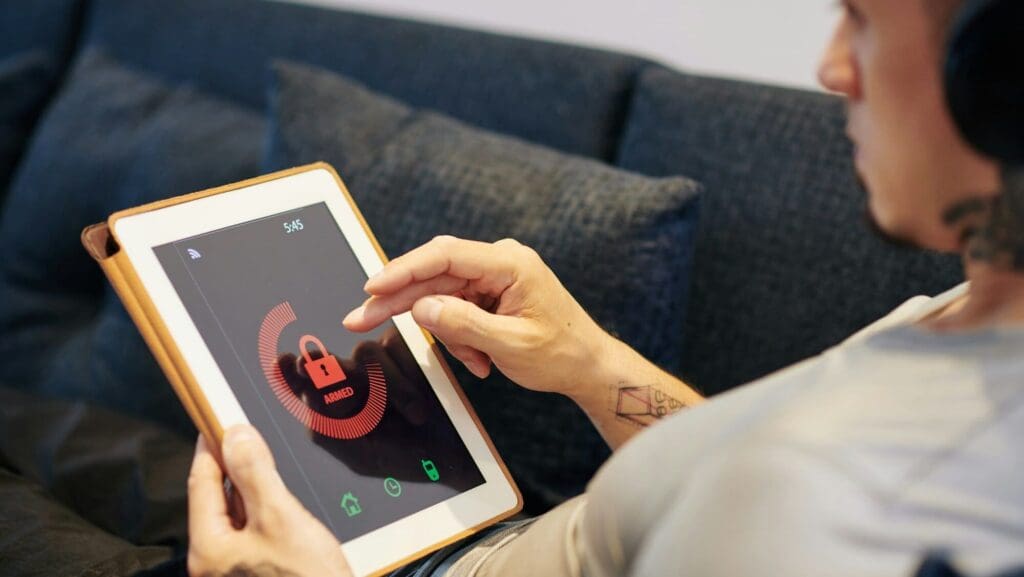
- Press Goodnight on a keypad by the bed to lock every door, arm the alarm in Stay mode, turn off the downstairs lights and close the shades.
- Arm in Away mode when you leave, and the house turns off the lights and sets back the thermostats.
- Disarm with your lock code when you come home, and the entry and kitchen lights come on.
- If an alarm sounds at night, every light in the house can turn on so you can see and anyone inside knows they’ve been noticed.
- When a smoke detector goes off, the system can turn on the lights along the way out and shut down the HVAC fans so they don’t spread smoke.
- When someone rings the doorbell, the camera appears on the TV and on touchscreens, and you can talk to them and unlock the door from your phone.
- While you’re away, lights can follow a lived-in pattern so the house doesn’t look empty.
How to check compatibility
Start with the control system
Professional platforms such as Control4 and Savant connect to alarm panels, locks and cameras through drivers, which are small pieces of software written for each product. Before you buy a panel, a lock or a camera, check that a reliable, current driver exists for your control system. If you already have Lutron lighting, check how it connects to the security side, either directly or through Control4 or Savant.
Check the wireless protocol
- Z-Wave and Zigbee are common for locks and battery sensors. They need a compatible hub or controller, and they use little power.
- Thread and Matter are newer standards that many lock and sensor makers now support, which makes cross-brand setup easier.
- Wi-Fi is common for cameras and doorbells. It needs a strong network, and each device adds load.
- Bluetooth is fine for unlocking a door from your phone when you are standing at it. It doesn’t work for whole-house control on its own.
Plan the network
Cameras, doorbells and remote access all depend on your network. Wire cameras where you can, put the alarm on a cellular communicator so it doesn’t rely on your internet, and keep the network gear on a battery backup. Our smart home network setup guide covers the basics.
Are smart locks safe?
A good smart lock from an established manufacturer can be as secure as the deadbolt it replaces, and it tells you things a regular lock can’t. You see who unlocked the door and when, you can give a dog walker a code that only works on weekdays, and you can delete a code the day a contractor finishes. You never have to wonder who still has a key.
Most of the risk sits with the app account and your home network. To keep a smart lock secure:
- Use a strong, unique password on the lock’s account and turn on two-factor authentication.
- Choose locks that use encrypted communication, such as Z-Wave with S2 security or Matter.
- Install firmware updates when they come out.
- Give each person their own code so the log shows who came and went, and delete codes you no longer need.
- Keep a physical key or a keypad backup in case the battery dies.
- Make sure the lock has a sturdy deadbolt and strike plate. The electronics don’t help if the door frame is weak.
Fingerprint and PIN keypads are both reasonable choices. Fingerprint readers are quick for family members. PIN codes are easier to hand out to guests and service people.

Features families use most
- A notification when a child uses their own lock code after school, so you know they got home.
- A door chime or an alert when a pool gate, a basement door or a door to the street opens.
- Separate user codes and app access for each family member, the babysitter and housekeepers, with schedules for each.
- Indoor cameras that record only when the system is armed Away, so nobody feels watched at home.
- A panic button on a keypad or key fob that sounds the alarm.
- Leak and freeze sensors that alert you before a burst pipe becomes a flooded basement.
What happens when the alarm goes off?
The siren sounds, the system sends alerts to everyone you’ve set up, and any automation you’ve programmed runs, such as turning on the lights and showing camera views. If you have signed up with a professional monitoring company, the panel also reports to its central station, which calls you and can send police or the fire department. Without monitoring, the system relies on you to see the alert and respond. Decide which fits your family before the system is installed, since it affects which panel and communicator you need.
Keeping an integrated system secure
An integrated system is only as secure as the network it runs on. Put cameras and smart devices on their own network segment, change every default password and keep firmware current. Our guide to securing your home WiFi walks through the steps, and our camera placement guide covers where cameras do the most good.
Planning a smart security project?
We design and install security systems, cameras and smart locks that work with Control4, Savant and Lutron, for homes across Greater Boston, the South Shore and Rhode Island. Book a free consultation or read more about our home security systems.