Most automated shade problems come from one of five causes: power (batteries or a tripped breaker), the wireless signal, the app or programming, something blocking the shade, or a worn mechanical part. The fastest way to narrow it down is to ask whether one shade is acting up or all of them are. This guide walks through the common symptoms, what usually causes each one and what you can safely check yourself. It covers Lutron systems (Caséta, RadioRA 3 and HomeWorks) and shades with Somfy motors, which are most of what you will find in homes around Boston and Rhode Island.

One shade or all of them?
- One shade won’t move. The problem is almost always at that shade: its batteries, the power feeding its motor, something in its path, or a lost pairing with the remote.
- Every shade stopped at once. Look at the system instead. That means the bridge or main processor, the power panel that feeds wired shades, your home network, or a recent power outage or surge.
- Shades work from the wall keypad but not from the app. The shades are fine. The problem is between your phone, your Wi-Fi and the bridge or processor. Skip ahead to the app section below.
The shade doesn’t respond at all
For battery-powered shades, low batteries are the most common cause. Lutron battery shades often slow down, move unevenly or stop partway before they quit completely. Replace every battery in the shade at the same time, with fresh batteries of the type the manufacturer specifies. Mixing old and new batteries shortens the life of the whole set.
For hardwired shades, check the breaker. On Lutron RadioRA 3 and HomeWorks systems, the shades are often fed from a power panel in a closet, basement or mechanical room. If a group of shades went dark after a storm, a tripped breaker or a surge is the likely cause.
If power is fine, try a power cycle. Turn off the breaker for the shades for about 30 seconds and turn it back on, or remove and reinsert the battery pack on a battery shade. Then test the shade from its keypad or remote before you try the app.
The shade moves but stops in the wrong place
Every shade motor stores an upper and a lower limit. A power surge, someone pulling on the fabric or a motor replacement can shift those limits, so the shade stops a few inches short of the sill or rolls up too far. On Caséta systems with Serena shades, the setup instructions for the shade explain how to reset the limits. On RadioRA 3, HomeWorks, Savant and Control4 systems, the limits are usually set by the company that programmed the system, so call them rather than experimenting.
The shade rolls unevenly, drifts to one side or makes noise
- Fabric rolling off to one side (called telescoping) usually means a bracket is out of level or the fabric is rubbing on something. Don’t force it. The bracket needs to be shimmed and the fabric checked for damage.
- Something in the way. Plants, a lamp, a window crank, a curtain or items on the sill can catch the hem bar. Clear the path and run the shade again.
- Grinding, clicking or a motor that hums without turning point to a mechanical problem. Stop using that shade and have it looked at. Running a struggling motor can make the repair bigger.
- Pulling the fabric by hand confuses the motor’s position and can damage the drive. Use the controls even when the shade is only a little off.
The remote or keypad isn’t working
Start with the battery. Lutron Pico remotes use a CR2032 coin cell, and most Somfy handheld remotes use a coin cell too. Then check range. Wireless remotes work best within the same room as the shade, and thick plaster or masonry walls in older houses can cut range.
If the remote has lost its pairing, the fix depends on the system:
- Caséta: remove the remote in the Lutron app and add it again, following the on-screen steps for that remote.
- Somfy RTS: you need a remote that still works. Pressing its program button puts the motor in pairing mode (the shade jogs up and down to confirm), and then a short press of the program button on the new remote adds it. Follow Somfy’s instructions for your exact remote, because the same steps done with a remote that is already paired will remove it from the motor.
- RadioRA 3 and HomeWorks keypads: these are programmed in Lutron’s dealer software. If a keypad stops working while the rest of the system is fine, call your installer.
Connecting your shades to your phone
The app you use depends on the system behind your shades:
- Lutron Caséta: the Lutron app with a Caséta Smart Hub (also called the Smart Bridge) plugged into your router.
- Lutron RadioRA 3 and HomeWorks: the same Lutron app. Your dealer sets up the system and transfers it to your account, so you don’t pair shades one at a time.
- Somfy: the TaHoma app with a TaHoma hub.
- Hunter Douglas: the PowerView app with a PowerView gateway.
- Savant or Control4: the shades appear in the Savant or Control4 app once your integrator adds them to the system.
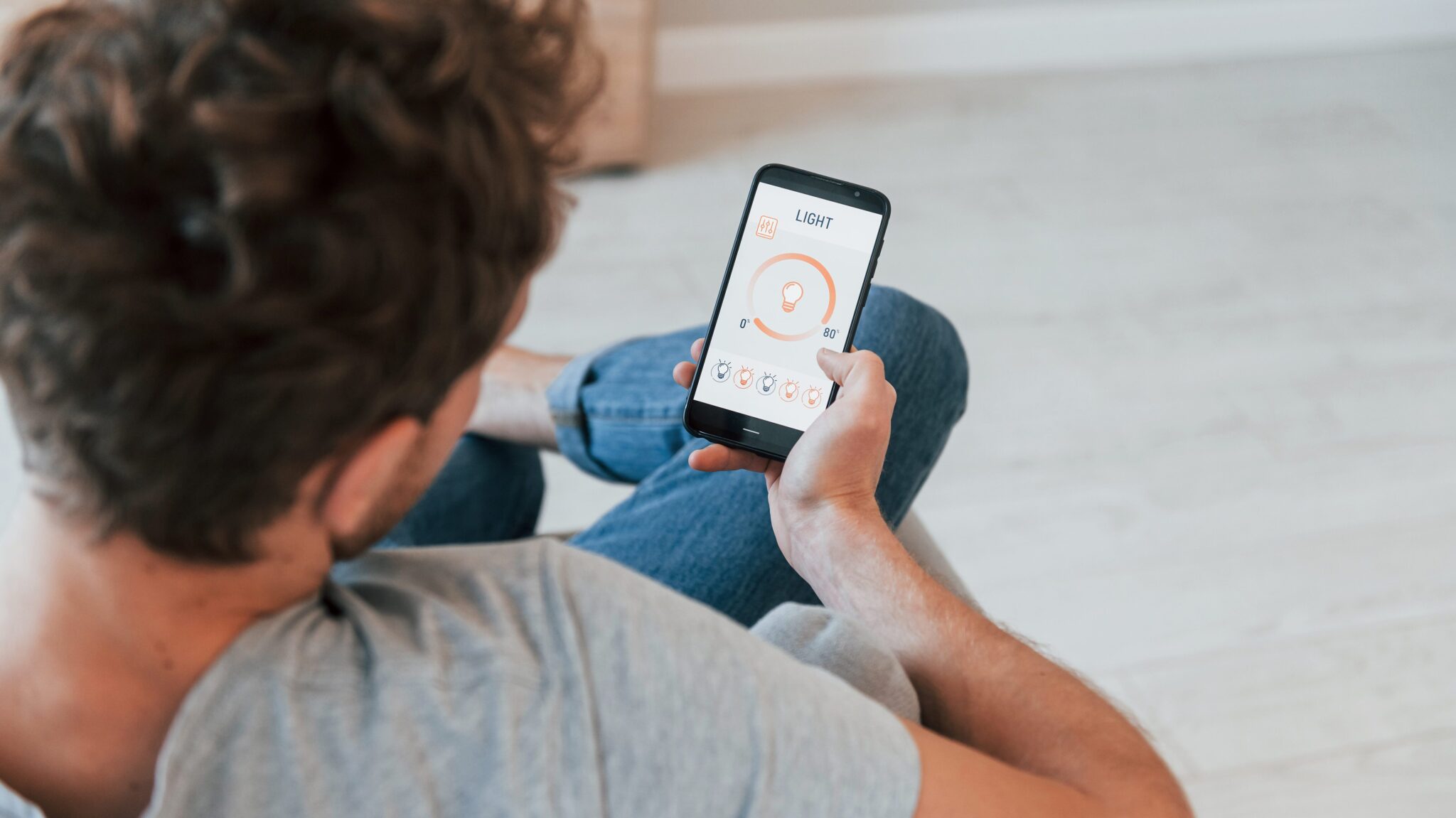
For a Caséta setup, keep your phone on the same Wi-Fi network as the hub, open the Lutron app, tap to add a device, pick the shade type and follow the prompts. The app will ask you to press a button on the shade or its remote to finish pairing.
The app can’t find or control the shades
- Make sure your phone is on your home Wi-Fi, not a guest network. Guest networks usually block your phone from talking to devices on the main network.
- Turn off any VPN on your phone while you set up or test.
- Check that the hub or processor still has its network cable plugged in and its status light on. If you replaced your router recently, the hub may have lost its connection.
- Update the app, then close and reopen it.
- If the app works at home but not away, check that remote access is turned on in the app and that your internet service is up.
Voice control and schedules stopped working
If Alexa, Google or Siri stops controlling the shades, check that the shade names in the voice app still match the names in the Lutron or Somfy app. Renaming a shade can break a routine. Unlinking and relinking the voice skill fixes many of these problems.
On Caséta, schedules run on the hub itself, so they keep working when your phone is off. If shades move at the wrong time, check the time zone and location in the app, especially for schedules tied to sunrise or sunset. On RadioRA 3 and HomeWorks systems, shades can also follow the sun window by window, which we cover in our post on Lutron shades that follow the sun.
Preventing problems
A little care prevents most of the issues above. Keep the path in front of the shades clear, change batteries before they run completely flat, let app and firmware updates finish, and don’t tug the fabric by hand. Our guide to cleaning and maintaining motorized shades covers the rest.
When to call for service
Call a technician if you notice any of these:
- Grinding, clicking, a burning smell or a motor that hums but doesn’t turn
- A torn or creased fabric, a bent hem bar or a shade that has dropped from its brackets
- Every shade in the house down after a power surge, with the breakers on
- Hardwired shades that need work inside a power panel
- Problems on a RadioRA 3, HomeWorks, Savant or Control4 system, where the fix lives in the programming
Planning a motorized shade project?
We design, install and service Lutron motorized shades across Greater Boston, the South Shore and Rhode Island, and we program them to work with your lighting and the rest of your home. Book a free consultation or read more about our motorized shades.