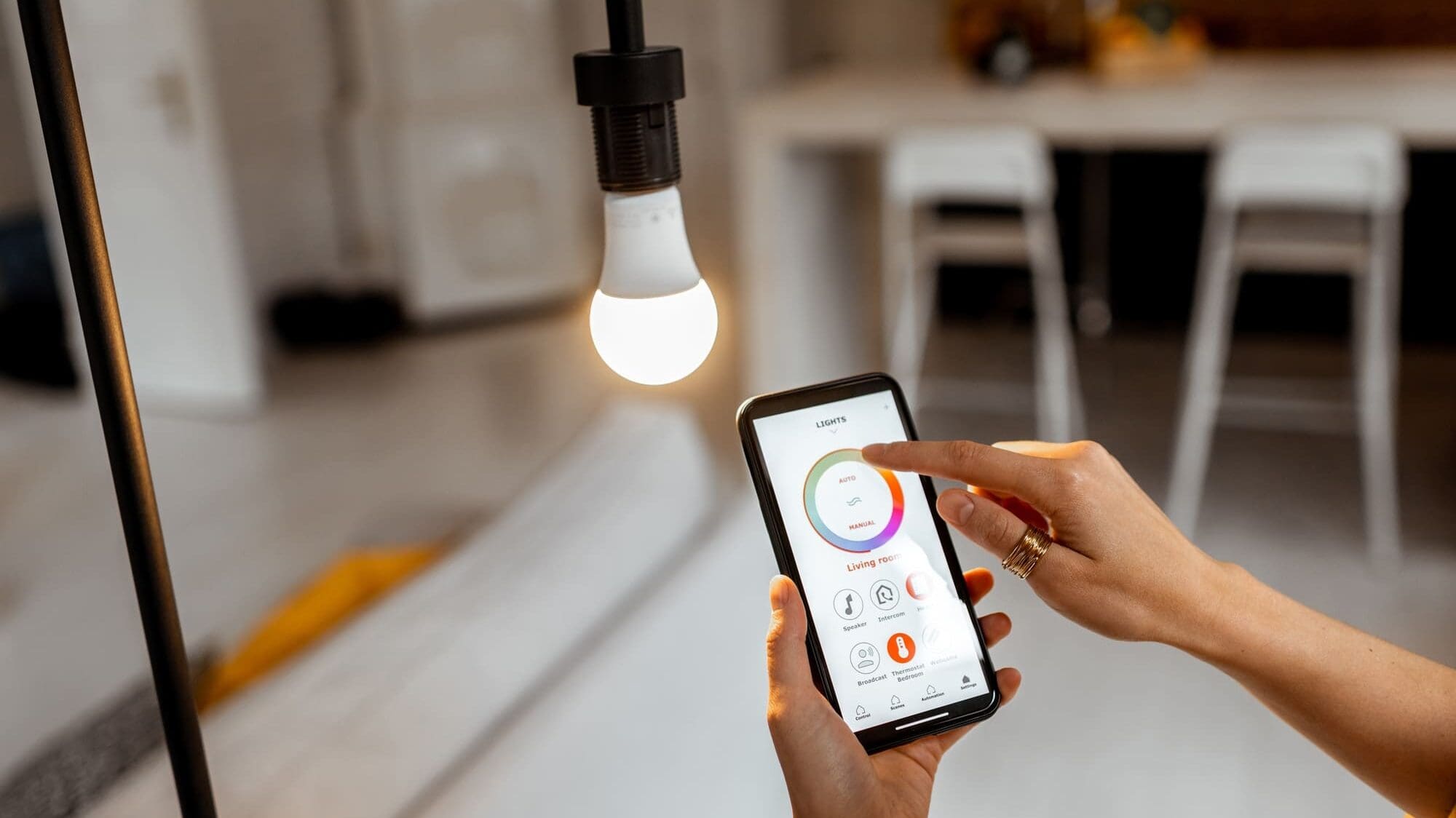
Smart lighting means lights you can control from an app, a voice assistant, a schedule or a sensor, as well as from the switch on the wall. For a beginner, the easiest way in is to set up one room, using either smart bulbs controlled from your phone or smart dimmers that replace your wall switches. This guide covers the terms you will run into, the three ways to get started, how to set up your first room step by step, and how to fix the problems people hit most often.

What smart lighting can do
- Schedules. Turn the porch light on at sunset and the kitchen lights off at bedtime.
- Scenes. One tap or button sets several lights to preset levels, such as Dinner, Movie or All Off.
- Control from anywhere. Check whether you left the lights on, and turn them off from your phone.
- Away lighting. Lights turn on and off in the evening while you’re traveling so the house looks lived in.
- Sensors. Occupancy sensors turn on lights in closets, laundry rooms and garages and turn them off when you leave.
- Color temperature. Tunable white bulbs shift from cooler light during the day to warmer light in the evening.
- Voice control. Alexa, Google Assistant and Siri can all turn lights on, off and up or down.
Terms to know
- Lumens. How much light a bulb puts out. More lumens means brighter.
- Color temperature. Measured in Kelvin. Around 2700K to 3000K is the warm white most people want at home. 4000K and above looks cool and bluish.
- Dimmable. LED bulbs only dim properly if they are labeled dimmable.
- Hub or bridge. A small box that connects your lights to your home network. Some systems need one and some don’t.
- Wi-Fi, Zigbee, Z-Wave, Bluetooth and Thread. The wireless languages devices use. Wi-Fi bulbs connect straight to your router. Zigbee, Z-Wave and Thread devices form their own mesh network through a hub. Bluetooth works only at short range.
- Matter. A standard backed by Apple, Google, Amazon and Samsung that lets devices from different brands work in the same app. Look for the Matter logo if you want to mix brands.
- Neutral wire. A wire in the switch box that some smart switches need. Many older homes don’t have one at the switch.
Three ways to get started
Smart bulbs
You screw them into the fixtures you already have. Philips Hue (with the Hue Bridge), WiZ and Kasa are common choices, and many offer color and tunable white. Smart bulbs are the easiest place to start, and they suit lamps and renters. The catch is that the wall switch has to stay on. If someone flips it off, the bulb goes offline. Don’t put smart bulbs on an existing dimmer switch. Our post on putting smart lights on a dimmer switch explains why.
Smart switches and dimmers
These replace your wall switch and control whatever is wired to it, including recessed lights and chandeliers, with ordinary dimmable LED bulbs. The switch still works by hand, so nobody needs an app. Lutron Caséta is a common choice. It uses Lutron’s own wireless signal, so it doesn’t add load to your Wi-Fi, and most Caséta dimmers don’t need a neutral wire. Installing one means working inside a switch box, so check your local code or hire an electrician.
Smart plugs
A smart plug turns a lamp, a string of lights or a plug-in landscape transformer into something you can schedule. Use an outdoor-rated plug outside.
How to set up your first room
- Pick one room. Choose a room you use every day, such as the kitchen or family room. Living with one room for a week teaches you what you actually want.
- Choose bulbs or switches. Count the fixtures and switches in the room and note any lights controlled from two places (3-way switches).
- Check your ecosystem. Make sure the products work with the phone and assistant you use, whether that’s Apple Home, Google Home or Alexa.
- Check your Wi-Fi. Make sure the signal is strong in that room. Many devices only join the 2.4 GHz network during setup.
- Install. Turn off the breaker before replacing any switch. For bulbs, screw them in and turn the switch on.
- Add the devices in the app. Name them by room and fixture, such as “Kitchen Island”, so voice commands are easy.
- Group and build scenes. Put the room’s lights in a group, make two or three scenes, and set one schedule.
- Link your voice assistant and test a few commands.
Troubleshooting common problems
- A bulb shows as offline. Someone probably turned off the wall switch. Turn it back on. If it is still offline, power cycle it by turning it off for ten seconds and back on.
- A device won’t connect during setup. Make sure your phone is on the 2.4 GHz network, move closer to the router or hub, and check for app and firmware updates.
- Lights flicker or buzz. A smart bulb on a dimmer, or LED bulbs on an old dimmer built for incandescent bulbs, are the usual causes. Replace the dimmer with an LED-rated smart dimmer, or use a plain switch for smart bulbs.
- Commands are slow or fail. Too many Wi-Fi devices can bog down a home network. A hub-based system like Caséta or Hue takes the load off. Our post on how smart home devices affect WiFi speed covers this.
- Schedules run at the wrong time. Check the time zone and home location in the app, since sunrise and sunset times come from it.
When a whole-home system makes sense
Smart bulbs and a handful of Caséta dimmers work well for a few rooms. In a larger home with dozens of lights, several apps and a growing list of schedules, it becomes hard to manage. That is when people move to a professionally designed system such as Lutron RadioRA 3 or Lutron HomeWorks. Every light runs on one system, engraved keypads (such as Lutron Palladiom) recall scenes for several rooms at once, and a Goodnight button by the bed turns off the whole house. These systems also run Lutron motorized shades and connect to Savant, Control4 or Josh.ai, so lighting, shades, audio and climate work from one app and one voice assistant.
Planning a lighting control project?
We design and install Lutron lighting control, from a few rooms to the whole house, across Greater Boston, the South Shore and Rhode Island. Book a free consultation or read more about our intelligent lighting solutions.